Category Archives for "News"

How To Clean Your Database… And Why It’s So Important

how to clean your database

You may be wondering why you need to know how to clean your database.

Often times business owners think they're doing the right thing by building a database - or a list - and they put so much effort into it. There's sometimes a 'bigger is better' mentality around this.

Now don't get me wrong... I'm so pleased to see these business owners building a database. And if they're looking after it and emailing their subscribers and customers regularly, that's great! That's definitely what I like to see. 

But bigger isn't always better. It's much better to focus on the QUALITY of your database rather than the QUANTITY of people on it.

In fact, your database quality is essential if your business sends emails.

And cleaning your database regularly is one of the ways that you can focus on your database quality.

In this video below I share with you not only HOW to clean your database, but also WHY it's essential to clean your database regularly.


Hey picture this. (I feel a little bit like Sophia Petrillo. I don't know if you remember the Golden Girls. She used to come out with these stories all the time.)

Anyway, picture this…

You've run an event. And you get to the day after your event, and you're about to send out some marketing for all the people that attended and didn't book in for a call. Or all those people that attended and didn't buy. Or even all those people that didn't attend at all, to follow up with them and get them to take the action we want them to take.

Then you get this email from your database provider, whether it be Keap or anyone else. And they say to you, “Your email ability has been canceled.” Or “Your email ability has been held because you've been sending emails to bad email addresses and spam traps and your engagement rate is low.”

Now we've got a few videos on email engagement and email deliverability, but what we need to think about now is actually cleaning up our database. It's super important.

You clean your office probably once a week. You clean your home maybe once a week or once a fortnight. But we are not necessarily naturally cleaning up our database.

Why Cleaning Your Database Is So Important:

There are a few reasons why this is so super important.

#1: Firstly, spam traps. They opt in automatically to people's databases. And you think that you won't get hit by them, but you might get hit by them. Googles and Yahoos and Hotmails… if there's a lot of activity on your domain, they'll probably opt in to see what's going on there. That’s number one.

#2: Dud email addresses.

#3: There are so many different reasons why an email address can be problematic for your email deliverability.

So we've got to clean up our database and we've got to do it on a regular basis. One of our customers just this week had a problem with her email send-ability straight after an event because the database wasn't cleaned up on a regular basis. And so we had to implement something.

And so you've got to make sure you do a database cleanup about every three to six months – it’s super important.

How To Clean Your Database:

Now we use a system called Klean13 – that's K L E A N 13.

You take your database out of Keap you upload it into Klean13. And then it gives you a report on which email addresses are spam traps (get rid of those!), which email addresses are undeliverable (get rid of those too!). And then which email addresses could be problematic in your business. You get rid of those as well so you're just emailing to a clean database.

That’s the number one thing you've got to think about.

The number two thing, of course – and I know I've harped on about this in quite a lot of videos – you've got to email just the engaged people.

I want you emailing people that are engaged in the last four months. You can do a report inside Keap – an email engagement tracker – and you just want to do the last four months. Grab all of those people. They're the ones you email to, okay?

So we're going to clean up our database every three to six months and we are going to email only the people that have engaged in the last four months.

This is super, super important to make sure your deliverability stays up high and your reputation with all of those email clients like Yahoo, Hotmail, Bing, Gmail and whoever else they might be. So your reputation stays good and strong. Did I mention that this is super, super important?

Want to learn more about how we can help simplify and automate your business processes? Great! 

Take the next step in growing your business today and book a free, no obligation call with us.

When Saving Money Can Cost A Lot More

Saving-Money-Can-Cost-A-Lot-More

This may sound confusing, but it’s not uncommon to see that saving money can cost a lot more.

When you have a small business, sometimes the expenses can be overwhelming. There are the costs for your stock, supplies and possibly manufacturing, licenses and permits, legal and accounting fees, staff and contractor fees, office equipment, advertising and marketing, website and internet costs, taxes and superannuation expenses… the list goes on and on.

Often many small business owners operate on a tight budget and aim to keep costs affordable for their customers too. This is especially so with the current increasing cost of living and, well, increasing cost of almost everything.

So it’s not surprising then that so many small business owners look for free or low-cost options when it comes to software and tools to help them manage their business. Sometimes this can be worthwhile. Cutting back on expenses during tough times in particular can be necessary.

Why pay hefty monthly subscription for access to software if there’s something that does just as good a job for free?

But other times this sort of thinking ends up costing your business more. Maybe much more!

Consider more than just the financial cost:

Therefore it’s essential that you consider what you use in your business, not just from a software perspective. Look closely at the benefits of investing in the best tools, education, people, and products for your business, rather than looking for the cheapest (perhaps free) options.

A good example that we see weekly, if not daily, is in the database management and marketing software that a small business uses.

It’s no secret that we love, use and recommend Keap (previously Infusionsoft). Keap includes a powerful CRM (Customer Relationship Manager) and sales and marketing automation. This helps your business to collect more leads, convert them into clients, and then turn those clients into repeat clients who recommend you to others too.

But we often see small business owners using other systems simply because they’re cheaper.

Now, if their software of choice can do as good a job as Keap, great! We’re happy for them to use whatever works best for them.

However, they often complain that their system is limited in what it can do and sometimes unreliable. Or other times the tool they’ve chosen to use can kind of do some of the things Keap can, but it doesn’t automate a lot of the processes.

So let me ask you… are you really saving money if you can get the full results you would like? Or if you’re spending more time on the processes? Or if you can’t actually get all the benefits that a higher investment could give you?

What to consider:

As part of your assessment as to the best software for a specific process in your business, make sure you consider all of the costs, not just the monetary costs.

  • Can this tool do everything you need it to do?
  • Does it have limitations that you can pay to ‘unlock’?
  • Will this tool take up more of your time or save you time?
  • Is this tool likely to improve your business’ efficiency?
  • Does this tool integrate smoothly with other tools or systems you may want it to sync with?
  • If it doesn’t integrate directly with other relevant systems or tools, can you do this via a third-party tool such as Zapier?
  • Will this tool help you to keep up with your competitors? Or better still, will it help you to stand out above your competition?
  • Can this tool help increase your profits?
  • Can this tool help decrease other expenses?
  • Will this tool help your customers?
  • By using this tool, will your staff be able to perform their work easier, quicker or with less stress?

Once you’ve weighed up all of the costs and all of the savings – not just the financial costs or savings – you’ll find the tool that suits your business best. Not surprisingly to us, we usually see that this isn’t necessarily the cheapest tool.

And after looking at all the costs, you'll most likely agree that sometimes, just focusing on saving money can cost a lot more!

But the benefits are well worth the extra financial investment and it generally pays for itself in improved efficiencies, productivity, customer relations and increased sales.

If you’re interested in learning more about how we can help automate your business processes, book a free, no obligation call with us.
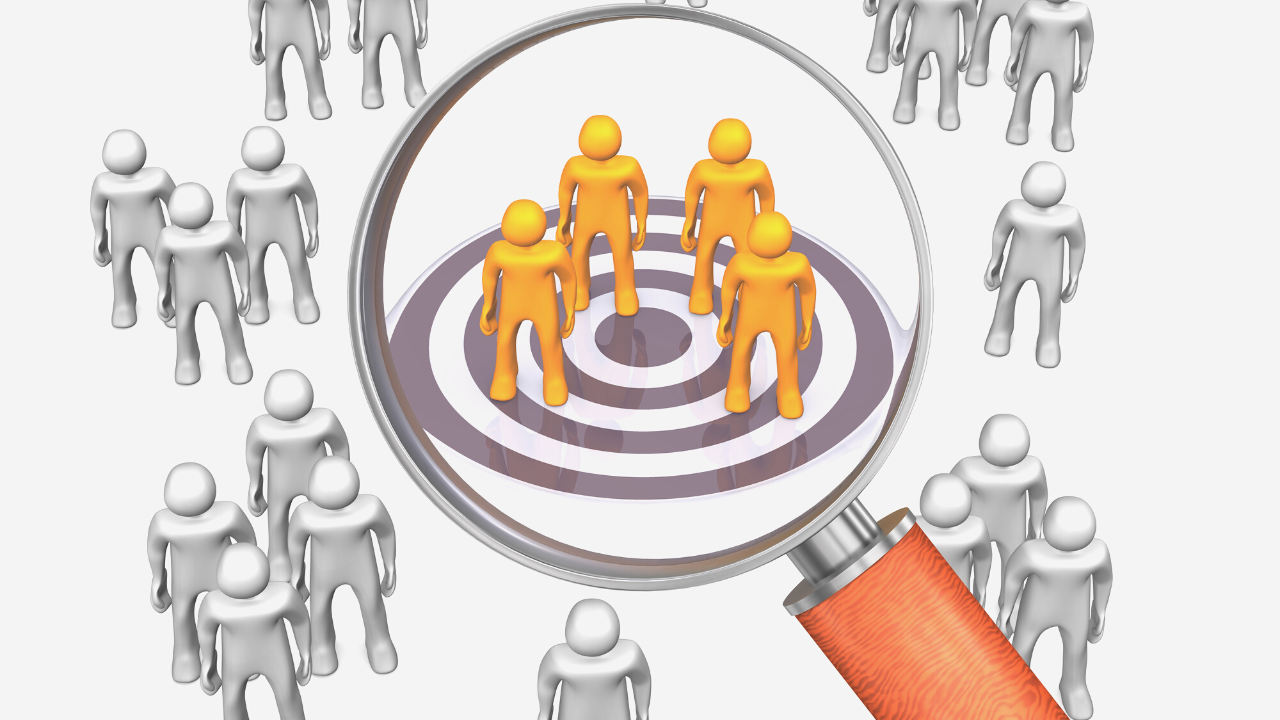
Do you really know your target market?

Know your target market

Do you know your target market?


Okay, I’ve held back but I just have to say this…

If I hear this one more time, I’m likely to scream. Very loudly!

I’ve been in business for many years now, helping small business owners to generate leads and follow-up to get sales and on-going referrals. As you may know, my specialty is in AUTOMATING these processes as much as possible.

In order to best help clients one of the first things we do is to make sure they’re crystal clear on who their audience is. Who exactly are they marketing to?

You MUST specifically know your target market.

know your target market 2

Sadly, one of the most common responses I get when I ask this question is…

“Everybody.”

Or almost as bad… “All adults.” “Women.” “All men.”

I’m sorry, but no. You are never marketing to “everybody”.

In fact, there’s a common saying that “When you try to be everything to everyone, you end up being nothing to nobody.”

And that is so true when it comes to marketing your product(s) or service(s). Or yourself.

Here’s the thing… when you are telling or showing your audience all about your product/service and its benefit, it’s essential that you speak their language. Not just in the words you use, but in the images you use, the colours, the scenarios… everything.

This helps you to connect with your potential customers and show them how this product/service is going to benefit them. You need to show them how it fits in with their life. Or, moreso, the life they wish they had.

Ford, for example, sell cars. They could market to everyone who might want a car. But they don’t. Their specific target market is millennials (any gender).

Whereas middle-income families are the target market for Netflix. Not ‘everyone’. Not even ‘movie lovers’. But specifically ‘middle-income families’.

Could you imagine if a luxury, designer brand such as Louis Vuitton or Versace tried to create ads to attract ‘everyone’? Apart from the fact that not ‘everyone’ can afford or see the value in their high-end products, they would lose a lot of their current customers who value their exclusivity.

Understanding Your Market:

Recent research shows that 56% of consumers remain loyal to companies that “get them”. And 89% of customers stay loyal to brands who share their values. 

How do you show that you understand them?

Simple… first, you make sure you do understand them.

  • What language do they speak?
  • What are their values?
  • What’s important to them?
  • What’s their lifestyle like?
  • What are their common challenges?
  • What are their goals?

Then how can you show that you understand these factors?

You make sure this shows across your marketing – that includes words, images, colours, packaging, people, locations and lifestyles depicted. As well as your direct marketing, it’s important to relate to your specific market across all areas of your business, including:

  • customer service
  • website
  • emails
  • store front
  • vehicles
  • social media
  • …everywhere!

If you are too general, you’re going to struggle to connect with your potential customers. Which means, they’re less likely to see how it can benefit them and therefore less likely to buy it.

To Sum It Up:


Next time you see an ad pay very close attention and see if you can tell who that product’s company is marketing to.

More importantly, make sure you are clear on who YOUR market is. Be specific. The better you can show that you understand your market, the more likely they are to buy from you.

Then, next time someone asks you if you know your target market you can smile as you confidently state your specific market… which is NOT everybody.

We'd love to have a chat with you about how we can help you in YOUR business.

Interested?

Great! Book a free call with us today.

How To Increase Email Open Rates

increase-email-open-rates

“How to increase email open rates” is a question we often see being asked.

There are a number of very effective strategies to help you with this, one in particular is often overlooked by most business owners.

Email marketing is an essential part of your marketing, either on its own or, even better, when used along with other effective marketing strategies. Either way, it should be one of your first priorities when your start your marketing.

When used correctly, email marketing can help you to sell more of your own products as well as other people’s products that you sell direct from your business or for a commission or referral fee.

It can also help you get more traffic to your website, webinar or other places you share what you have to offer and therefore improve your advertising return.

In other words, email marketing is an important cornerstone of any business.

Why your open rate matters:

Now, whenever you send an email to your list, the first important goal is to get your subscribers to open that email. This metric is known as your Open Rate and is calculated simply by the number of people who open your email, expressed as a percentage.

For example, if you send your email to 5,000 people and 1,000 people open that email, your open rate is 20%.

To increase email open rates you need to get more people wanting to read your emails.

So… how can you encourage people to open your emails?

The first area to look at is your email deliverability. We’ve previously talked about email deliverability in this post, so make sure you check that out and follow it if you haven’t already done so.

Next, make sure you write awesome subject lines. You want to make your email stand out from all the other emails your subscribers no doubt receive every day. Write subject lines that compel your readers to open your email and read it. (Be bold, but be truthful, of course.)

Keap has a great free tool that you can use to help you come up with enticing email subject lines. You can access this email subject line generator here:

https://keap.com/tools/email-subject-line-generator

Some business owners put in the extra effort to focus on their email deliverability and killer subject line. But this is where they stop. Today, I’m going to suggest you go that little but further and include another strategy to improve your mail open rates. This strategy is known as foreshadowing.           

What is foreshadowing?

Possibly you’ve heard of this term when talking about movies, books or TV series. In general, the idea is that there are hints about what’s to come in future chapters, episodes, sequels, and so on. This creates curiosity. The viewer or reader is so eager to find out what happens next. They get excited with anticipation of the next chapter, book, episode or movie and can’t wait to see or read it as soon as it’s available.

Have you ever done that yourself? Think about the last time you read a really good book, especially just before bed. You tell yourself, “Just one more chapter.” But then, the end of the chapter comes and you’re so eager to find out what happens next that you keep reading. Before you know it, you’ve stayed up way later than you planned.

With email marketing, foreshadowing is just the same.

You can create interest… create curiosity… even tease your subscribers just a little so they’re eagerly awaiting your next email to find out what’s to come next.

Here’s an example of foreshadowing:

Let’s say we’re writing a series of emails about improving email marketing.

In today’s email we worked on mapping out the topics of the emails we’re going to write. Towards the end of that email we let them know that the next step is to start writing those emails, beginning with the subject line. We then also tell our readers that we’ll cover writing highly converting subject lines in the next email and that they should look for it in their inbox in two days.

There are a couple of things going on here that help with the open rate of that coming email. Firstly, by using foreshadowing, we’re creating interest and getting the reader curious about what’s next.

For someone who’s new to email marketing, or trying to get better at it, learning how to write better subject lines is likely something they’re extremely interested in.

Then also, by sharing with readers when to expect the email, we’re setting expectations for them. This makes it easy for our readers to keep an eye out for the email. If they know when to expect it, they’re less likely to miss it.

By simply adding that one tiny paragraph in one email helps to make sure the next email will get opened.

Of course you can then continue to use the idea of foreshadowing with each subsequent email. Keep hinting at what’s coming next.

Not only will it help with open rates, your subscribers are also less likely to unsubscribe.

Foreshadowing may not be something you do in every email, but start to incorporate it every now and then and see what difference it makes.

Start tracking your email open rates and see how much your open rate increases when you include foreshadowing.

We would love to help you to implement these strategies in your business. Book a free call with us today so we can get a better idea of what you need and how we can help.

Should You Follow Up With Customers After They Purchase?

should you follow up with customers?

If you’re like many marketers, you probably put a lot of time, effort and probably money into making a new sale.

Then once your new customer has made their purchase, you may follow up to make sure that your customer receives their product. At best, you may even follow up with them to make sure they’re happy with the product or service they purchased.

That’s where it ends for many business owners. They call it a day… and move on to the next sale.

But let me give you a valuable business tip here.

That’s a big mistake. Huge!

Before you hit the panic button though, let me share the simple process you can use to follow up with customers. This process will help to ensure your customers are happy and keep coming back. Plus, they’ll also sing your praises far and wide, recommending you to others.

The easiest way to follow up with customers post-purchase is to set up a series of automated, personalised email messages. These are designed to help you improve your customer relationships. However may well see a reduction in refund rates, increase in word-of-mouth referrals and an overall increase in profits too.

Step 1: The Basics

First, write a series of email messages that are automatically sent to your customers via your autoresponder software. (We use and recommend Keap, previously Infusionsoft.) These emails can be customised to particular products and, depending on the capabilities of your autoresponder, you can further customise the emails – and SMS messages – that are sent to each customer based on their specific action, or inaction.

Step 2: What To Say

So now you’re probably wondering what to actually SAY in these emails to follow up with customers, right?

Your goal with these emails is two-fold. Firstly, you want to make sure your customer is happy with their purchase. Secondly, you also want to recommend other related products or services that may be helpful to them.

These can be recommendations to more of your own products, other people’s products, or even free products or services.

It’s important here to have a good balance between sharing helpful information and offering other products or services for sale.

Begin by thanking your customer for making their purchase. You want to be sure they have all the information he may need to access and use it properly.  

It’s also a good idea to let them know the best way of contacting you if they have any questions or would like to share feedback with you.

Importantly, make it super-easy for your customers to access and use what they purchased and to contact you, if necessary.

Step 3: Going The Extra Mile

A good follow up from here is to send a helpful email – or multiple emails, if necessary – that will help your customer get the most from their purchase with you.

Or if you have a related product or service that will complement their recent purchase, you can offer this to them. If possible, give them a special deal or bonus to show your appreciation of them.

You need to make sure this email is worded to show that you’re offering this as a way to better help your customer. Otherwise you may come across as being too pushy.

It’s also worthwhile to include an email asking for feedback or a testimonial after your customer has had a chance to use the product or service. Other emails you can include are VIP offers or offers specifically for your customer’s referrals.

Step 4: How Often To Email

This step isn’t something that is a one-size-fits-all solution. You want to email your customers regularly, however remember that they may already be getting other emails from you.

It’s important that your email campaigns take the different scenarios into consideration. For example, if a prospect buys from you it may be a good idea to automatically remove them from your ‘prospects’ email series, as now they’re a customer.

Do you send a regular newsletter to all of your subscribers and/or customers? If so, this also needs to be taken into consideration when deciding how often to email your customers.

This is where having a good autoresponder program comes in. Using a tool such as Keap, you can easily set up automations to move subscribers to a new list – or email campaign – based on their previous actions.

Once you have set up your customer follow up campaign for each product, the process is automated and running smoothly in the background.

Your customers are being looked after while you’re focusing on other areas of your business that need your input.

If you'd like to know more about this topic and how we can help you set this up, book a free call with us today.

Should follow up email content include just helpful content or paid offers?

follow up email content

Have you ever wondered about what to include in your follow up email content?

Should it be more offers for things you can sell?

Or free content where you don't sell anything?

If ever you’ve subscribed to someone’s email list, be that because you’ve purchased a product from them, you want the Lead Magnet they’re offering or you’re just interested in receiving their updates, but then you constantly receive email after email asking you to buy something else?

Buy this…

Then buy this…

Now buy that.

I see it so often and it really frustrates me.

It’s such a turn off and can leave customers and prospective customers thinking that you’re only after their hard-earned money.

What happens next? Yep, they unsubscribe. Or maybe report you for spam and then unsubscribe.

But then I see so many business owners who go too far the other way. In fact, this is the biggest mistake I see business owners making.

They’re so scared of falling into the constant-request-to-buy-emails trap and so rarely, if ever, send an email about a paid product or service. Or sometimes they don’t send any follow up emails at all!

So which is better?

The simple answer is that ideally you want to share a good mix of quality content that costs your subscribers nothing and shows them that you care. This should be relevant content that helps your subscribers in some way. In doing this, you’re building trust with your subscribers. You’re genuinely helping them.

This sort of content could include:

  • tips on how to get the most from your products or services that they’ve already invested in
  • industry updates
  • behind the scenes look at your business and your team
  • and so much more!                      

This content is mixed with some content that helps you make a profit – which is necessary if you’re to stay in business. This profit-making content, or conversion content, might include information about:

  • other relevant products/services you offer that are likely to be beneficial for your subscribers
  • other people’s products/services for which you earn a commission or referral fee.
So, how do you get the balance right so you create a successful email marketing strategy?

First, we need to consider that there are many different types of email campaigns and your strategy may vary depending on each campaign’s aim.

Another variable to consider is whether you’re sending a campaign – that is, a series of automated emails. Or if you’re sending a broadcast, which is a one-off of email that you send, such as a weekly email.

Let’s look at campaigns first:

In general, you want to follow my 3-step formula for an effective follow up campaign. Those 3 steps being:

  • Action
  • Trust
  • Conversion

The ACTION phase is when your subscriber takes an action. For example, they opted-in to your list in order to receive a free gift you promised. The first email in this campaign then would be to send them whatever you promised them.

This is followed by the TRUST phase where you send a series of trust-building emails.

The CONVERSION phase, where you offer a paid product, is 5-7 emails into this campaign.

Keep in mind that conversion emails may not be to directly purchase a product. It may be to attend a webinar. Then you make an offer for them to invest in your product, service or training on the webinar.

This 3-step ACTION > TRUST > CONVERSION system is explained in more detail in The Biggest Mistake Small Businesses Make When Paying For Leads.

What about sending a broadcast?

When sending a broadcast email, although this might not be as structured as a follow up campaign it’s still important to follow the same sort of ACTION > TRUST > CONVERSION formula.

The ratio here is the same as it is for a follow up campaign. So you send approximately 5 TRUST emails for every 1 CONVERSION email.

For example, you might send 5 x emails each with some relevant helpful information that will benefit your subscribers. Then the 6th email you send them offers a paid product or service. This should still be relevant and beneficial, even though you may make a financial profit.

Then you send another 5 x emails with more helpful content, followed by another email where you offer something for sale. 

This number of 5 trust-building emails isn’t set in stone. If you happen to send 6 trust emails and then 1 conversion email, that’s quite okay. The main thing is you’re not sending too many nor too few conversion emails compared with the number of trust emails.

The sooner you get into this habit, the better. So if you’re not already following this sort of formula in your email marketing, start doing so this week. You’re sure to start seeing an increase in sales.

Interested in how we can help you set this up within your business? That's great! You can book a free call with us here.

1 7 8 9 10 11 21
Automatic Content Protection Powered by - Wishlist AutoProtect